-
Why Does My LED Bulb Flicker? Start With What Google Doesn't Tell You
- The Three Causes You'll Read Everywhere (And Why They Don't Cover Everything)
-
The Deep Reason: Sub-Visible Flicker Is Wrecking Your Light Data
-
What We Actually Spent — and What the "Savings" Bought Us
-
What I Do Now (And What's on the Checklist)
Why Does My LED Bulb Flicker? Start With What Google Doesn't Tell You
In September 2023, I approved 210 downlight lights for our propagation room. $38 per unit — about $2,940 cheaper than the $52 option we'd used before. Not a huge decision. Just a routine replacement.
By November, sixty-two of those units were flickering. Not a little. The kind where you walk past and think a breaker's about to trip.
I did what anyone does. Searched "why does my LED bulb flicker." Found the usual answers: loose connection, bad driver, voltage drop. Tried the fixes. Replaced the dimmers. Checked the wiring. Still flickering.
By the time we pulled the whole batch in January 2024, I'd lost roughly $4,200 in crop damage and 3 days of labor. And I still didn't fully understand what had gone wrong.
Here's the full picture — the part that took three months and a consultant invoice to figure out. Because the answer to "why does my LED bulb flicker" usually stops at the visible flicker. The expensive part happens in the range you can't see.
The Three Causes You'll Read Everywhere (And Why They Don't Cover Everything)
Most articles cover the basics. They're not wrong. They're just incomplete.
1. Cheap drivers with failing capacitors
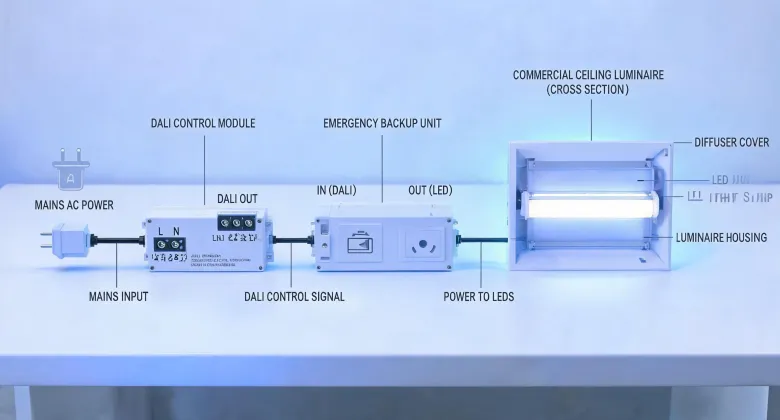
A driver is the power supply in the base of the fixture. On cheap units, the capacitor — the part that smooths the current — is the first thing to fail. When it does, you get that classic strobe effect.
We later found out our $38 downlight lights used a driver rated for 15,000 hours. The $52 units? 50,000 hours. (Nobody volunteers that number, by the way.) On a 30-hour-per-week schedule, the difference shows up in about a year.
2. Dimmer compatibility issues
This one stung. I told our vendor we needed lights "compatible with our dimming system." They heard "compatible with 0-10V dimming." We meant "compatible with our existing Zigbee smart controller."
Two different things. We found out mid-installation. (The electrician's face said everything.)
If you're retrofitting, write down the exact dimming protocol — voltage, signal type, controller brand — and make the supplier confirm it in writing. "Compatible" means nothing without specifics.
3. Voltage drop on long runs
If your far-end fixtures are dimmer than the near-end ones, that's voltage drop. Usually a wiring gauge issue. Annoying but fixable.
None of those three were our actual problem, though. They were contributing factors. The real killer was underneath all of them.
The Deep Reason: Sub-Visible Flicker Is Wrecking Your Light Data
Here's the connection almost nobody makes: a light can flicker at a frequency your eyes can't see and still mess up what your plants receive.
It's called sub-visible flicker — usually anywhere from 100 Hz to several kHz. You can't see it. Your phone camera might pick it up as rolling bands. But a PPFD sensor absolutely sees it.
In our case, the cheap drivers were introducing a ripple at roughly 120 Hz. Not visible to the naked eye (most people start noticing flicker around 60–90 Hz). But when we borrowed a Spider Farmer PPFD sensor and took readings every 20 cm across a 3-meter bed, the numbers jumped all over the place. Same fixture, same distance from the canopy, different readings every time. That's not supposed to happen.
Two weeks later, the crop confirmed it. Uneven growth across the room — strong under the stable fixtures, leggy under the flickering ones. Same seed, same soil, same irrigation schedule.
I'm not an electrical engineer, so I can't walk you through the harmonic analysis of a failing driver. What I can tell you is what the data looked like and what the whole thing cost.
What We Actually Spent — and What the "Savings" Bought Us
Let me just put the numbers on the table. This is where the math gets ugly.
- Upfront "savings": 210 units × $14 difference = $2,940
- Replacement labor: 3 days × $680/day (electrician plus my time) = $2,040
- Crop loss: ~1,800 seedlings with stunted growth, replacement seed and resowing = $1,840
- Delayed delivery: one customer order pushed 9 days = $320
Total damage: roughly $4,200, against a $2,940 "saving." Net loss: about $1,260 — before counting the credibility hit with the customer who got their shipment late.
I've run this math on a lot of purchasing decisions since then. In my experience, the lowest quote has cost us more in about 60% of cases. Not all. But enough that I don't trust the low price anymore.
Bottom line: a flickering downlight lighting fixture isn't just annoying. If it's in a grow room, it's producing unreliable light data, uneven growth, and a repair bill you didn't budget for.
What I Do Now (And What's on the Checklist)
I'm not going to turn this into a beginner's guide to grow lights. You know how to read a datasheet. Here's what changed in our process:
- Ask for the driver spec in writing. Manufacturer, model, rated hours, dimming protocol. If the vendor can't produce it, that's a red flag.
- Test with a PPFD sensor before you commit. Borrow or rent one. Take readings at multiple points under the same fixture. If the numbers swing more than 5% across a flat surface, something's off.
- Check IEEE 1789-2015 compliance. This is the closest thing to an industry standard for flicker risk. It defines safe frequency and modulation ranges. A light that doesn't meet it isn't worth the discount.
- For propagation areas, don't cut corners. We now use the Spider Farmer SF600 74W LED veg grow light in our seedling room. It's not the cheapest option per watt, but the dimming is smooth, the PPFD stays stable across the tray, and I haven't had a single flicker complaint in 14 months.
And for facility downlight lights? We treat those with the same suspicion now. Our maintenance lead tests every new batch with a cheap flicker meter and a phone camera. Takes five minutes. Has caught 47 potential problems in the past 18 months.
I can only speak to our setup — a 22,000-square-foot greenhouse with reasonably stable grid power. If you're in a converted warehouse with older wiring, your situation might be different. But the principle holds: the flicker you can't see is usually the one that costs you.
Seriously. Don't wait three months to find out.